
When Leila Viss first announced on her blog that she had something exciting in store, I knew it had to be good. As expected, her surprise was an exciting one when she announced details about her new book,The iPad Piano Studio: Keys to Unlocking the Power of Apps.
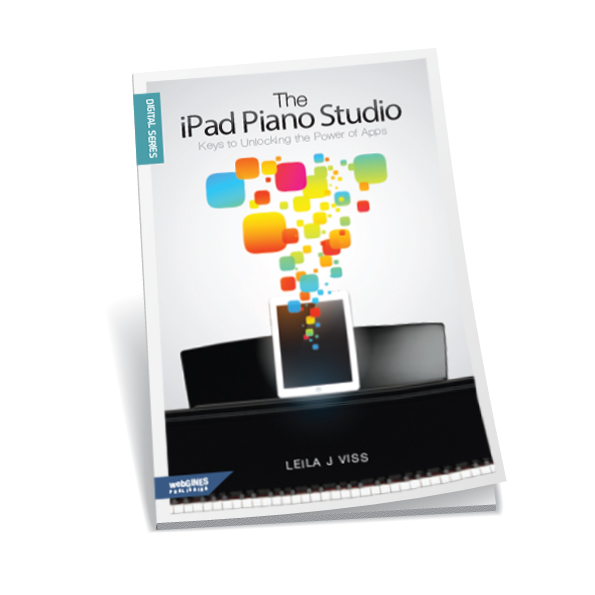
With a little encouragement and support from several friends, Leila made this book possible to help teachers feel more comfortable with the way technology is moving forward. The great thing about iPads is the technology is really not too complicated. I find it much easier to work and keep up with then I ever did with computer software and hardware. Matter of fact, I have found this year that I use my iPad in my studio lab (I have a separate one for my lab) a lot more then the computer.
The iPad Piano Studio is a simple read that one can go back to over and over. It does not need to be read in order. Leila was careful in not putting too much information that would quickly be outdated. This was smart as we know technology advances quickly and in the world of apps what is there one day, may not be there the next.
The iPad Piano Studio includes 12 chapters in addition to an intro and an outro. In the beginning Leila talks about the background of the book and why it was written. The first chapter begins by talking about the 5 different generations and why knowing and understanding each generation is important in our field of teaching. We then learn how to implement the iPad in our studio and the basics of getting started with a studio lab. If you are new to the iPad world and not sure what to look for or if it’s really worth the investment, Leila guides the reader with helpful information so you can be confidant in your new investment.
As with any technology, there are words and abbreviations that can frankly make one’s head spin. Leila breaks those “tech terms and languages” and explains them in an easy way for the reader to understand. In addition to some app suggestions, Leila walks you through what is already included in your iPad and ways to use those and several other optional apps in your studio. You will learn quickly that apps are not only about playing games. There is much, much more to the iPad then games. (Though they are fun too…)
The last chapters finish off with learning about helpful accessories that will enhance the iPad experience; and how to connect the dots making the iPad not only a teaching tool, but a teaching assistant that can enhance your lessons and business.
When purchasing the book, you have the option to purchase the digital only or the paperback copy with the digital. Having the digital copy along with the paper book allows for the reader to have a much fuller experience. When you download a QR app (free) onto your iPad or iPhone, etc… the digital copy allows you to scan your QR code and view helpful video’s Leila put together.
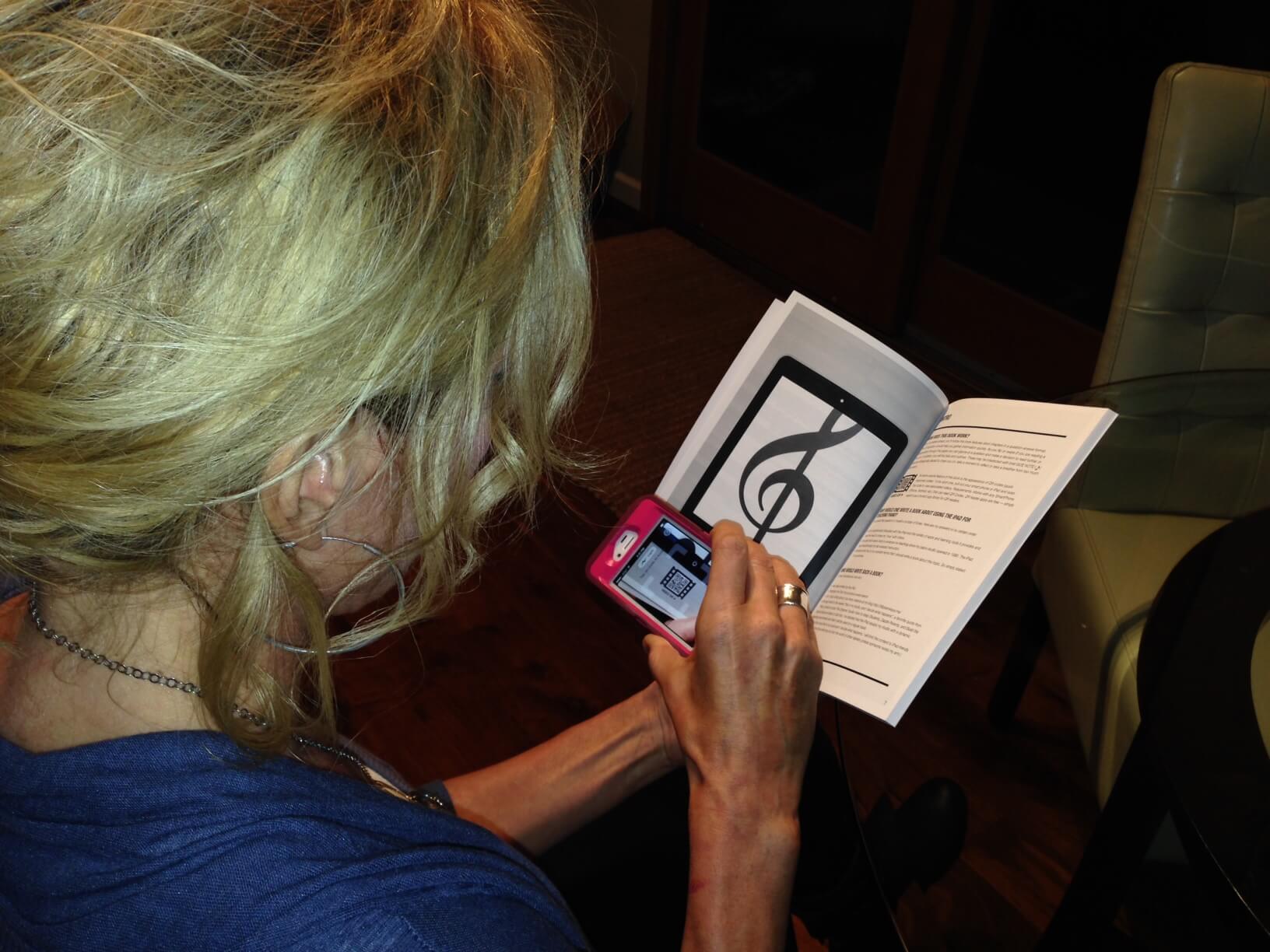
As you can see, The iPad Piano Studio is a helpful resource that will help teachers who want to learn more about making the most out of their iPad in their studio.
The paper back copy (which includes the digital copy and a free copy of SimpleTEC magazine) of The iPad Piano Studio: Keys to Unlocking the Power of Apps is $21.99 (+shipping). The digital copy only is $18.99. In addition, there is a support blog that will be updated with helpful information from the website. Be sure to click on any of the links included in this review to find out more about the book and future resources that will be available.
Now for the fun part! I have an extra paperback copy of The iPad Piano Studio that Leila sent me to give away to a lucky reader! This will include your digital copy as well! To enter the following questions below: Do you have an iPad? If so, what is the favorite way you use it in your studio? If not yet, how would you like to use it in your studio? The deadline to enter is Monday, November 25th; 10:00pm (AZ mountain standard).
Disclaimer: I received this book in exchange for my honest review. I was not required to write a positive review nor was I compensated in any other way. All opinions I have expressed are my own.
52 Responses
I have an Ipad, but I would love to have the book to learn more about using it in my studio.
I use my I-Pad a hundred times a day in my studio. I teach note-recognition, ear-training, sight-reading, theory and much, much more! My students love playing the apps! I would love to receive a copy of this book!
I have an iPad and use it every lesson. Moosic studio, many games, garage band to record accompaniments for my vice students and duet parts for my piano students. I would live to read this book though, so I can have an intelligent conversation with my techy husband and maybe not need to bother him so much when I need help with something. Sounds like a fantastic resource!
Umm. Margaret I already bought the online version when it first came out 🙂 I’ll send you details on how to read it when I get home.
Ha! Ha!
I have an ipad and I have used it some with my students. I use Moosic and several other apps with students as well as recording them. It has been a very useful tool, but I would love to learn other ways I can incorporate it into my studio.
I use my iPad most for studio management, but lately have been better about getting lesson time on apps like Tenuto, the Most Addicting Sheep Game, Flashnote Derby, Music for Little Mozarts…
I’m hoping to get an ipad soon – it’s always so hard to get started with new technology – this book sounds like a great way to jump in!
I’ve had an iPad for 2 years, and can’t imagine life without it at this point. I keep my studio schedule on it, as well as calendaring workshop in the calendar. I keep a list of each student’s current study materials, as well as pieces for UMTA’s AIM and Federation Festival. I’m beginning to save materials for reference, such as repertoire lists in Pages and/or Numbers (apple programs). I record tuition in Numbers as it arrives. I record each student to show what good hand positions they have, and when not. We listen for musicality in their playing. I am building my music files with typical student repertoire so I can pull up a piece to play to show the student the finished product. We go to YouTube and internet to answer questions of performance, style, and other questions related to their repertoire. I also have games, but not using those as much as I thought I might. Also I’m building “powerpoint” presentations on Keynote program – easy to transport to another location. This book sounds like it will give me even more use of my iPad in the studio.
Coila, I am impressed with all these uses of the iPad. I didn’t know there were Pages/Numbers apps (are there?). I also have a question about what you mean by ‘music files’ with typical student repertoire that you pull up to show students. Are these PDF files? I am also curious to know if you use MTH or Moosic Studio, or just DIY your own system.
Hopefully Coila will see your questions Kathy, but I thought I’d mention… With the new iOS7 update they decided to have some apps that used to cost $, free. So now Pages (I think- I had already bought it before this) and Numbers are available to download for free, in addition to Garageband and a couple others just can’t think of what they are right now.
Jennifer, thanks for the additional comment. I have to say, I have already learned so much from simply reading all the comments to your post, that I am launching a new, all-out effort to upgrade my iPad and computer knowledge and skills as a result. If by some chance I don’t win Leila’s book here, I am definitely going to buy it. As of yesterday evening, I am officially on vacation until after Thanksgiving. Our schools take the entire week of Thanksgiving off and although normally I schedule a group lesson on the Monday of T-giving week, this year I decided to move it to mid-December and give myself a complete break. I am determined to get digitized, cyberified, upgraded and appified — I am dubbing the next 10 days Cyber Turkey Week. Just as you were typing in your reply to my comment, above, I was downloading OS X Maverick on my 4-year old Macbook Pro. Then I will get the new iWork suite (Pages, Numbers, etc) from Apple — my system is so old I have to pay a bit to upgrade these — and then turn my attention to checking out some of the apps and ideas already mentioned in the comments here. Did I mention what a terrific resource your website and blog are?! Yeehaw.
Of course, it is early — the day is young and the coffee is just hitting my bloodstream. I may have to take a nap later on to recover from all the newness. But I am definitely looking forward with some degree of curiosity to trying some fun new things this week. I may even create a website for myself, using a book I just bought at B & N: Create Your Website Using Word Press in a Weekend.
Would love this book! I use my 2nd generation iPad in every lesson: Moosic Studio, Evernote, and my folders of activities and games, including Music Theory, Note Reading, Sight Reading, Ear Training, Music Notation, etc. Having the apps in folders allows me to pick quick activities to reinforce whatever the student may be struggling with or the current new topic we’re learning. I don’t know how I ever taught without an iPad!
I use my iPad for just about everything in the studio … I even have a second one for students to use while they are waiting for their lesson. That one is full of music apps they can try out. Several of them end up purchasing the apps for their own devices. I like to use my iPad for flashcard games, metronome, and studio management with Moosic Studio.
I use my iPad for studio management, flashcard games, metronome, Moosic studio, etc. I know I am not using my iPad to its full potential, and I would love a copy of the book to get more ideas on how to use it better.
I have an iPad, which gets limited use with my students because I find the wealth of options is overwhelming! I would love to have this book! It sounds like just what I need to make some informed choices!
I am planning to purchase an iPad and would love to have Leila’s new book to help me with ideas, apps, and hints on how to best use my iPad. I am planning to use it with my students to review notes, rhythm, play games, record students, and listen to music.
I have had my iPad for awhile and see from all the above comments that I definitely do not use it to capacity. I especially would like to know how to transfer worksheets or some of Susan Paradis’s wonderful games on the iPad and hopefully that is explained in Leila’s book. I see I need a lot of help getting more use from my iPad during lesson times.
The most common way I use my iPad is for lesson planning and writing lesson notes with my Google Drive app. I also love the iPad’s ability to turn simple PDFs into “digital worksheets” that students can complete during their lesson or computer lab time.
I do have an iPad but am not great about using it as a teaching tool. I would like to use it to re-enforce note reading, rhythm etc.
My students have enjoyed NoteWorks and Rhythm Cat. Both are free, so it’s been easier to persuade parents to download these apps to use at home. Noteworks works like a flshcard drill, but it’s a lot more fun!
i bought the ipad air and am new to the apple techy world. My students have been the BEST ipad teachers and we have had some great belly laughs in lessons. I’m used to utilizing a computer/keyboard lab during lesson times but am eager to see what the potential is with an ipad. would love to have a resource!! 🙂
I have a 1st generation iPad and use a lot of different apps during lessons. The app, Rhythm Sight Reading Trainer, has been really helpful for teaching my students to play more rhythmically.
I like to use skitch for drawing in notes, flashnote derby for my flashcards, youtube for listening and discussing performances, and music game for developing memory of sound and visual patterns in young ones. I’ve only recently got an iPad, so just an occasional user, but would love to get more ideas.
I have used my iPad in the studio for years, now. This week I just announced my decision to make iOS devices mandatory for every family starting in the fall — either I loan it, or they own it (with a discount in tuition). The most common apps used for teaching are: Camera for videoing things to review at home — e.g., technique, successes by the student, etc. AnyTune Pro for slowing down tunes — some of my students like to pick out tunes from YouTube or other sites, and Music Flash Class for note drilling and group class games. Others used: GarageBand, which can be MUCH more fun than a plain old metronome, ABSRM Reading for sight reading, ReadRhythm for drilling rhythm, and a handful of music related games. My plans for next year include expanding into theory, perhaps writing a few more apps specific to areas where I can’t find off the shelf solutions. And I’m considering making my assignments electronic, so that my parents can read my writing 😉