
When Leila Viss first announced on her blog that she had something exciting in store, I knew it had to be good. As expected, her surprise was an exciting one when she announced details about her new book,The iPad Piano Studio: Keys to Unlocking the Power of Apps.
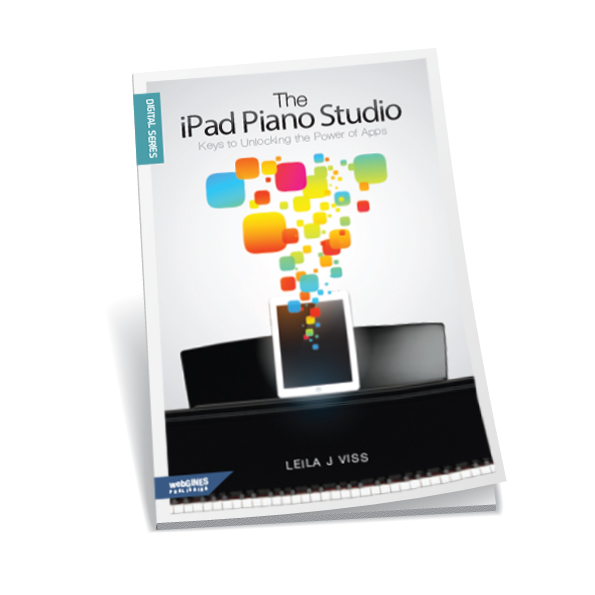
With a little encouragement and support from several friends, Leila made this book possible to help teachers feel more comfortable with the way technology is moving forward. The great thing about iPads is the technology is really not too complicated. I find it much easier to work and keep up with then I ever did with computer software and hardware. Matter of fact, I have found this year that I use my iPad in my studio lab (I have a separate one for my lab) a lot more then the computer.
The iPad Piano Studio is a simple read that one can go back to over and over. It does not need to be read in order. Leila was careful in not putting too much information that would quickly be outdated. This was smart as we know technology advances quickly and in the world of apps what is there one day, may not be there the next.
The iPad Piano Studio includes 12 chapters in addition to an intro and an outro. In the beginning Leila talks about the background of the book and why it was written. The first chapter begins by talking about the 5 different generations and why knowing and understanding each generation is important in our field of teaching. We then learn how to implement the iPad in our studio and the basics of getting started with a studio lab. If you are new to the iPad world and not sure what to look for or if it’s really worth the investment, Leila guides the reader with helpful information so you can be confidant in your new investment.
As with any technology, there are words and abbreviations that can frankly make one’s head spin. Leila breaks those “tech terms and languages” and explains them in an easy way for the reader to understand. In addition to some app suggestions, Leila walks you through what is already included in your iPad and ways to use those and several other optional apps in your studio. You will learn quickly that apps are not only about playing games. There is much, much more to the iPad then games. (Though they are fun too…)
The last chapters finish off with learning about helpful accessories that will enhance the iPad experience; and how to connect the dots making the iPad not only a teaching tool, but a teaching assistant that can enhance your lessons and business.
When purchasing the book, you have the option to purchase the digital only or the paperback copy with the digital. Having the digital copy along with the paper book allows for the reader to have a much fuller experience. When you download a QR app (free) onto your iPad or iPhone, etc… the digital copy allows you to scan your QR code and view helpful video’s Leila put together.
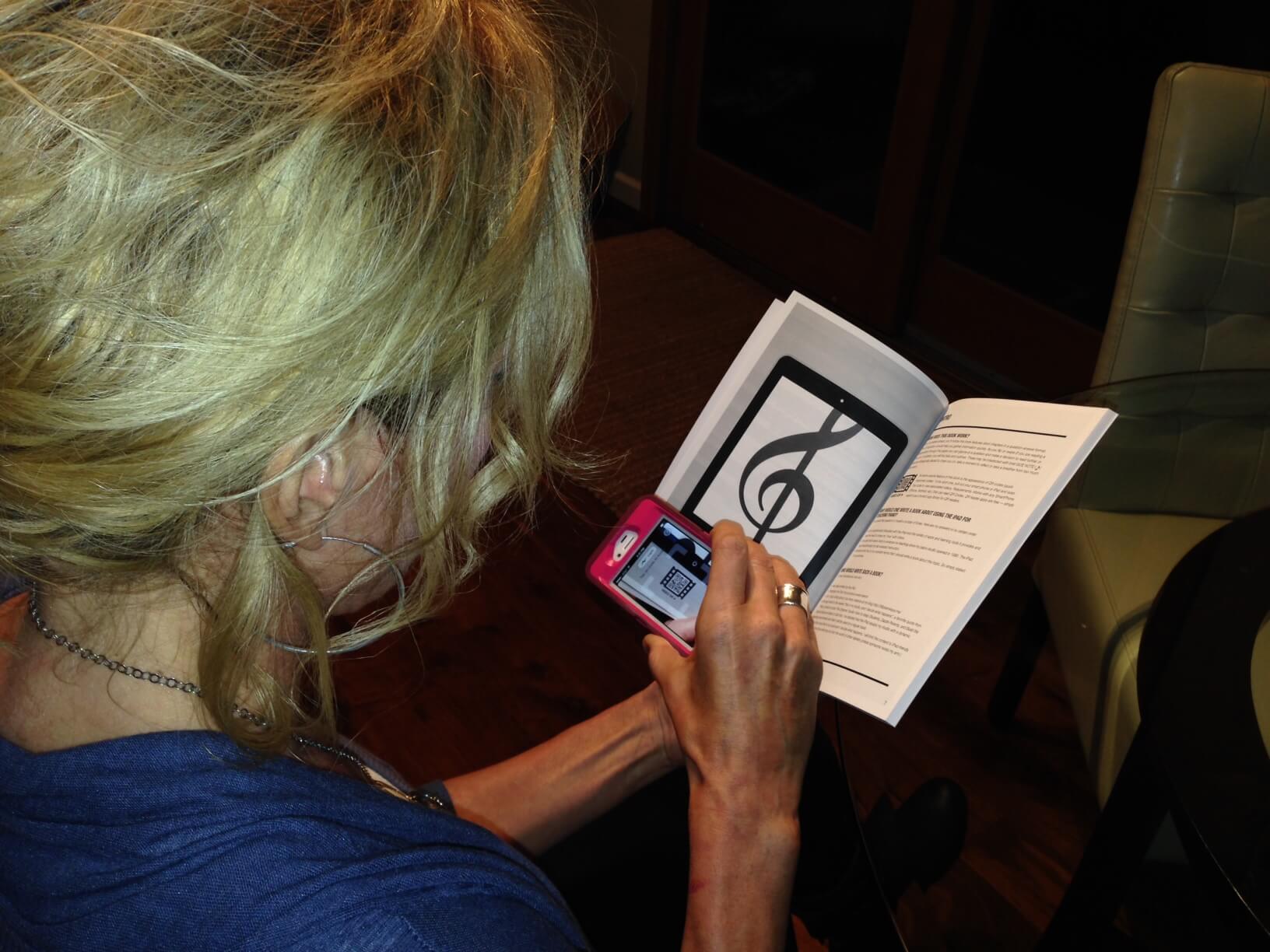
As you can see, The iPad Piano Studio is a helpful resource that will help teachers who want to learn more about making the most out of their iPad in their studio.
The paper back copy (which includes the digital copy and a free copy of SimpleTEC magazine) of The iPad Piano Studio: Keys to Unlocking the Power of Apps is $21.99 (+shipping). The digital copy only is $18.99. In addition, there is a support blog that will be updated with helpful information from the website. Be sure to click on any of the links included in this review to find out more about the book and future resources that will be available.
Now for the fun part! I have an extra paperback copy of The iPad Piano Studio that Leila sent me to give away to a lucky reader! This will include your digital copy as well! To enter the following questions below: Do you have an iPad? If so, what is the favorite way you use it in your studio? If not yet, how would you like to use it in your studio? The deadline to enter is Monday, November 25th; 10:00pm (AZ mountain standard).
Disclaimer: I received this book in exchange for my honest review. I was not required to write a positive review nor was I compensated in any other way. All opinions I have expressed are my own.
52 Responses
I just recently purchased an iPad for use in my studio. I have absolutely loved having it. I use Evernote to make notes about each student, using my bluetooth keyboard, so I can type quickly. I can also easily access student’s accounts in musicteachershelper. We have just begun using music apps in the studio – so far, we have enjoyed mynotegames & Piano Notes! Students seem to love drilling notes when it is done through a fun app. I would love to win a copy of “The iPad Piano Studio”!
I have a first generation ipad, and it shows its age when waiting for the internet, and crashes a lot when looking at the app store. Works ok for most things, though. My favorite use in the studio is as a motivator for intensive focus on a tricky spot in a song. The app Wheel o’ Choice is fun for my young students – they get a chance to spin for a win of 1, 2, or 3 extra stickers for their chart as a reward for a good little practice session during the lesson. A different option suggests ways to play a short section – legato, staccato, piano, forte, extra high, extra low, etc. In the old days I would have had these options on cards to draw from a box, or a handmade spinner. They like using the ipad. For a little older, we use a different spinner app that suggests what to focus on – articulation, dynamics, fingering, hands alone, counting, etc. You customize these for your own ideas.
I had my iPad in every single lesson. Whiteboard app, flashcard game, Moosic Studio, metronome – that’s only a start!
I do not currently have an iPad but am thinking about getting one. I would begin using it for music theory games. It’s exciting to hear how other teachers use iPads beyond games, so I would check out those uses, too.
I have an iPad and I use it every single day for teaching. If all it did was keep track of my calendar and contacts, it would have been worth it!! There are many apps that I can use for teaching….ear training, sight reading etc. I also use iannotate. Students can send me their test papers for theory (PDF). I can mark them right in the app and mail them right back….so handy!
I do have an iPad and it’s difficult to choose just one favorite way I use it. I love to use Skitch to get PDF files of worksheets and have the student “draw” directly on them on the iPad. I also love to let siblings play games to practice different skills while I am teaching the other sibling.
I have an i-pad I use for my studio. It sits on my piano on a speaker dock. I have all the background cd’s from Faber Piano Adventures transferred onto my ipad, so I can quickly access background music the students can play along with. We also record their favorite songs (usually duets) using QuickVoice, which allows me to e-mail the recordings to their parents. I am overwhelmed by finding good apps, so a book that explains how to best use my i-pad in my studio would be a welcome addition! 🙂
I just purchased my iPad in August of this year, and am still getting my feet wet with it. I currently use Moosic Studio and some note drill and rhythm drill apps. Would love to win this book to broaden my knowledge of available and useful apps!
I have had an ipad for over a year, but this is the first year I have used it in lessons. I use the Rhythmlab app for each student at the beginning of each lesson for a short rhythm drill and a flash card app for note reading drills. Each of these apps are customizable for each student. I also video each of my students playing one of their lesson pieces each week as they strive for the “performance of the week”. Playback is very convenient. I would love to utilize my ipad more and would love a copy of this book.
I am intimidated by technology—but a fellow grad student and music teacher uses one all the time in her studio. She recently showed me theory games, rhythm drills, etc. that can be used in a studio. Now I might work up the courage to try it!
I use my iPad to video students. I am setting up a lab and would like more ideas of how to use it.
I use my ipad for everything! I have studio info and assignment sheets on Moosic Studio, use apps for theory games, lesson book accp tracks ready to play (use a bluetooth speaker). I would love to have this book for more ideas on how to utilize the ipad with my studio!
I have an iPad2 which I use only rarely in my studio, though that was the original motivation for getting it. I feel overwhelmed by the number of choices of apps, and a resource like Leila’s book would help me tremendously!
I have 2 iPads that students use in the studio. I put Quaver Music episodes and various music apps on them. After they have finished their written theory assignment for the week, they use the iPads and their favorite apps with earphones while waiting for their group lesson. I also have my own personal iPad that I use constantly throughout my day. Recently I used it to record and playback for the students a piano trio of Joyce Grill’s Cancun Cha-Cha-Cha for one piano and 6 hands. I also love to use it to take photos of the students playing games in their group lesson. I also use it with a keyboard to take notes during workshops. I agree with Jennifer’s comment about the iPad being much easier to keep up with and understand than the computer. Although I have a laptop by the piano and use it and Music Teachers Helper to type and email lesson notes, my iPad has often been used for that task when the laptop had issues. Although I have iPads, I know there are so many more ways I could be using them. I would love to have The IPad Piano Studio to learn more.
I have an ipad and would like to use it in lessons–I think it’d be helpful to make lessons a lot more interesting for students to look forward to–I just need guidance on HOW to incorporate it. Leila’s book sounds great!
I have an ipad, but have only used it briefly in the studio. Mostly, note naming games and listening apps. I need help! The book sounds great!
I just got an iPad and haven’t had time to set it up with everything I’d like to use in lessons yet, but I plan on using Moosic Studio, many note-naming and rhythm apps, loading it full of PDFs to draw on instead of printing worksheets, music listening, video, and more. I would be thrilled to win the book for even more ideas and instructions!
I do not own an iPad, but have been looking seriously at purchasing one – this book might give me a good reason to “take the plunge” – I find myself using my phone to record students when they are composing in order to transcribe later and also do a few note games, I’d like to expand to an iPad for these purposes and also possibly for more studio organization. Would love to have a copy of the book to learn more about what an iPad can do for my studio!
Yes. Dear hubby gave it to me for Christmas last year. I love using Moosic Studio and BooksApp2 for tracking my lending library. Then there are the music gams! The iPad is a wonderful asset in my piano studio!
I don’t have an ipad yet, but I’m hoping I’ll get one for Christmas. I’m looking forward to trying out the games I’ve already acquired in my itunes library.